WhatsApp group or online RSVP for a wedding?
A WhatsApp group can work for a small family already talking there, with one person recording replies. An online form is useful when many households reply separately and need to report their party size.

Decide who answers for each household
Agree who the invitation covers and who will answer for each household. A group reply may require a follow-up about partners or children. A form can ask for party size with the first reply.
| Option | Where it helps | Check before sharing |
|---|---|---|
| WhatsApp group | A small family that already uses the group | Assign someone to record replies and offer a private reply option |
| Separate form | A consistent set of questions and your own tracker | Try the published link outside your organiser account |
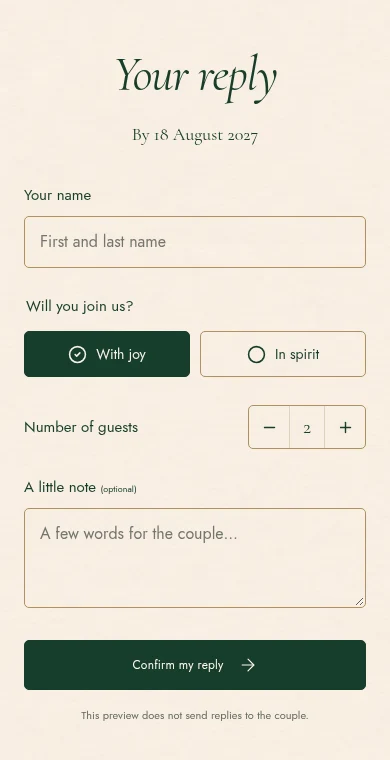
| RSVP in the invitation | Guests find the reply with the wedding details | Check the settings and where you will see the replies |
Calculate how many households need a reminder
Record one decision per household. For 32 invitations, 18 accepted and 4 declined leave 10 households to follow up with. Add the party sizes of the accepting households to get the number of people expected.
Record phone replies in the same place
Assign one person to record replies from relatives who call. Send reminders privately and share the full list only with those organising the wedding. Google Forms requires Google sign-in when you turn on the one-response limit. Test your settings before guests try them.
Sources reviewed
How we prepare these guides
These guides draw on the features shown on this website and the studio’s process. Commercial information is checked with QISSEA; the terms of your own request are confirmed before you agree.
The QISSEA teamExplore more guides

Wedding RSVP and privacy: what to check
Understand demo replies, real RSVP delivery, the details guests are asked for and the limits of an unlisted wedding invitation link.

When to send wedding invitations in Morocco
Plan when to give travelling guests notice, when to send the full wedding invitation and how to set the RSVP deadline.